Menu bar app / MicAnchor

Keep Bluetooth from taking over your system mic
When Bluetooth becomes your system microphone, MicAnchor switches back to your first available preferred non-Bluetooth input.

Sample Bluetooth takeover with the system input restored to a separate microphone.
What the price covers Your microphone priority order, temporary Bluetooth use, and switch history.
Review the App Store purchase terms and refund information before you buy.
Requires macOS 14.0 or later
What it does
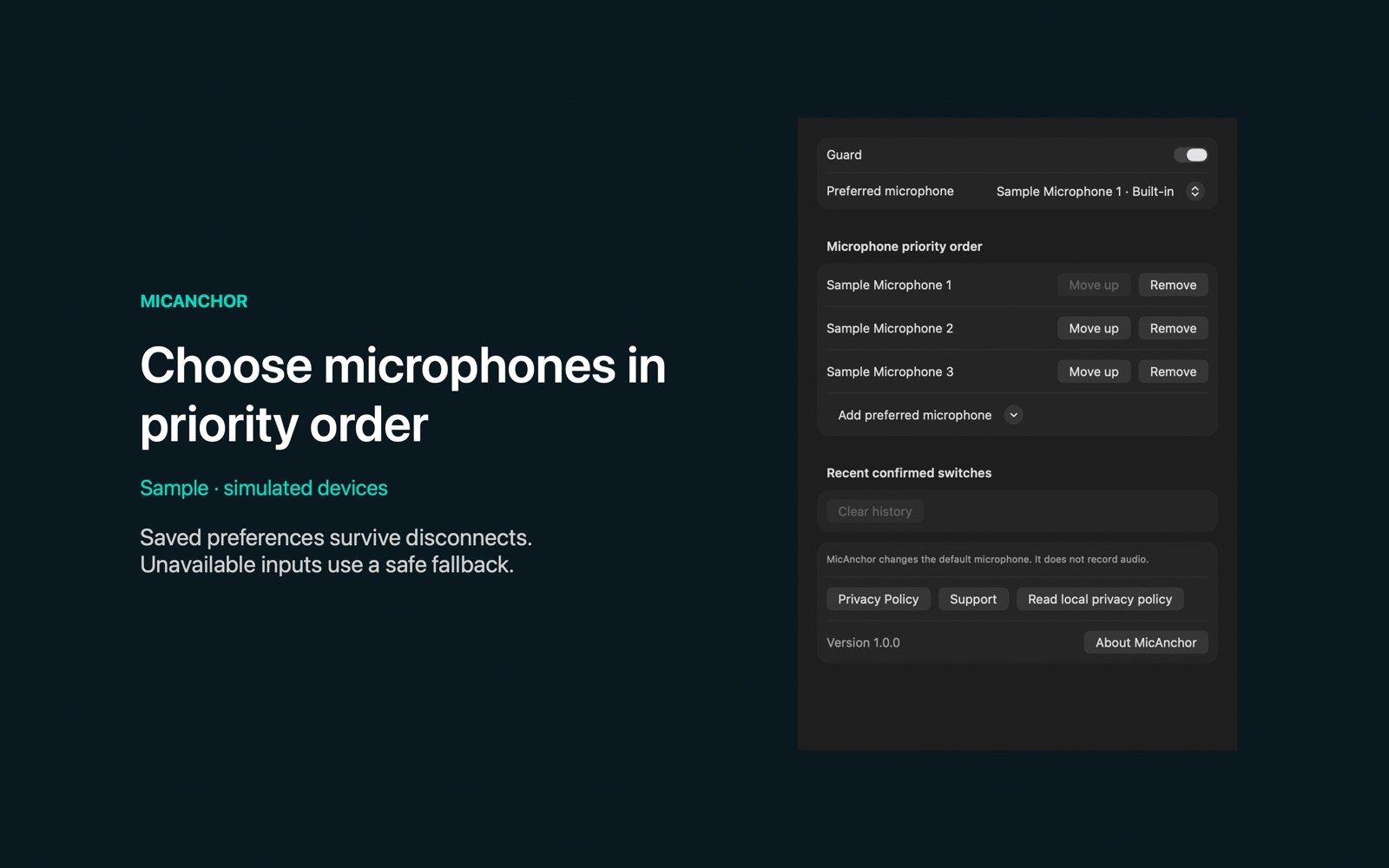
Set your microphone priority order
Save your input order
Reorder or remove preferred microphones in Settings; remembered preferences survive disconnects and restarts.
- Allow a headset for one hourUse the headset microphone for one hour, then return to your preferred input.
- Leave working wired inputs aloneMicAnchor leaves available non-Bluetooth default inputs alone.
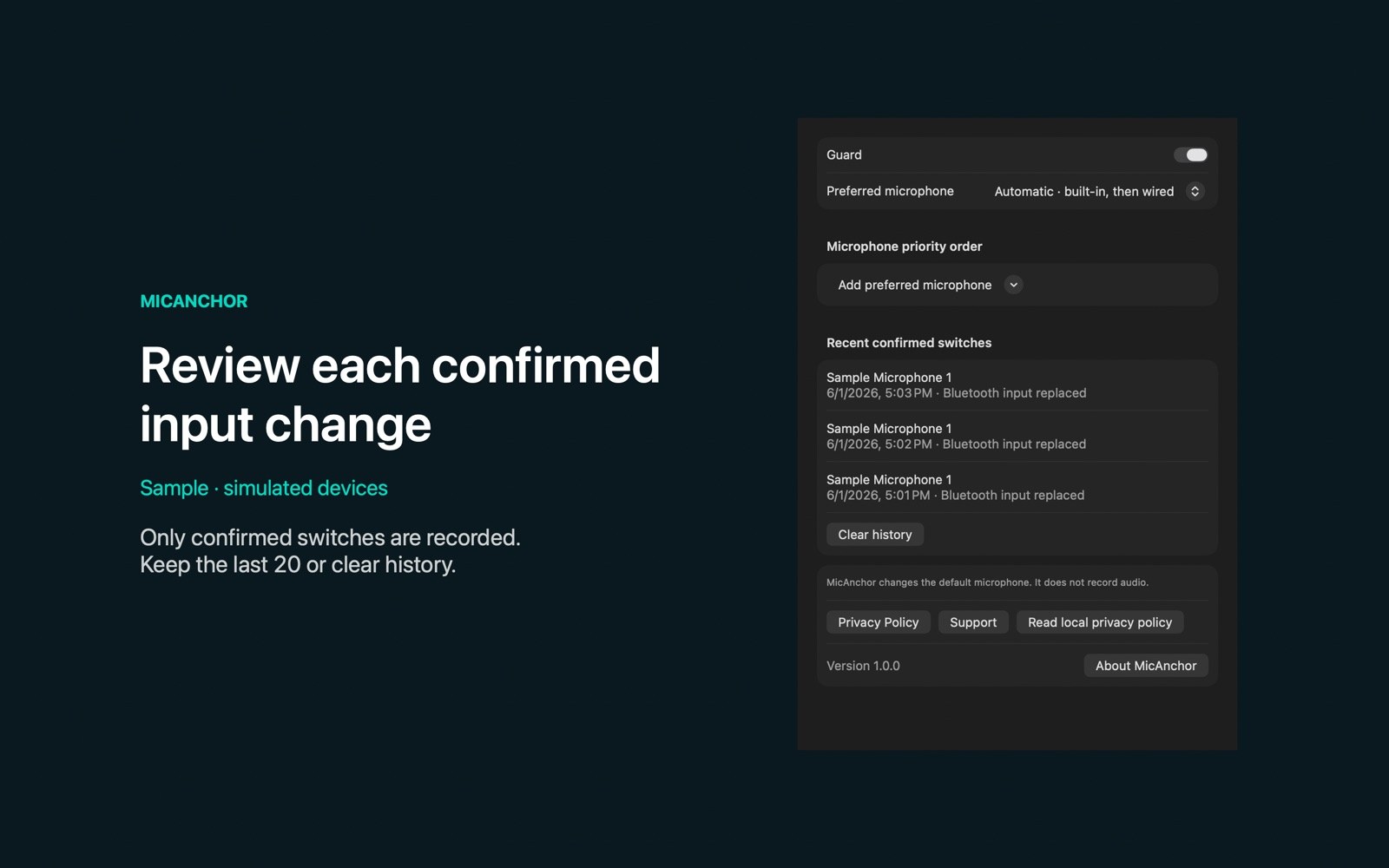
- Review confirmed switchesSee recent switches with their times and reasons, or clear the history.
- Try switching with sample devicesSample mode lets you test priorities and automatic switching without changing system audio.
Inside the app
Screenshots
Who it is for
For a headset and a separate microphone
For using a separate available microphone when a Bluetooth device becomes your system default input.
Privacy and support
MicAnchor reads device metadata, never records audio, and stores preferences and switch history locally.
Good to know
System input changes and calling apps
Will every calling app follow the change?
Apps using the system default microphone follow it; apps with their own microphone selection may ignore it.
Can it switch to a virtual microphone?
Virtual, aggregate, and loopback devices are never automatic targets. A built-in microphone is skipped when the lid is closed or the device reports it unavailable.
Purchase terms and refunds
Review the App Store purchase terms and refund information before you buy.