Menu bar app / PortSense

See when your Mac reports less than your charger’s rating.
Enter your charger’s printed rating and compare it with the capacity your Mac reports. Then inspect battery and USB details.

Sample power view shows a below-rating charger warning and battery details.
What the price covers A charger rating comparison, USB details, and recent readings.
Review the App Store purchase terms and refund information before you buy.
Requires macOS 14.0 or later
What it does
Check the charger and USB connection
Check the charger, battery, and USB connection.
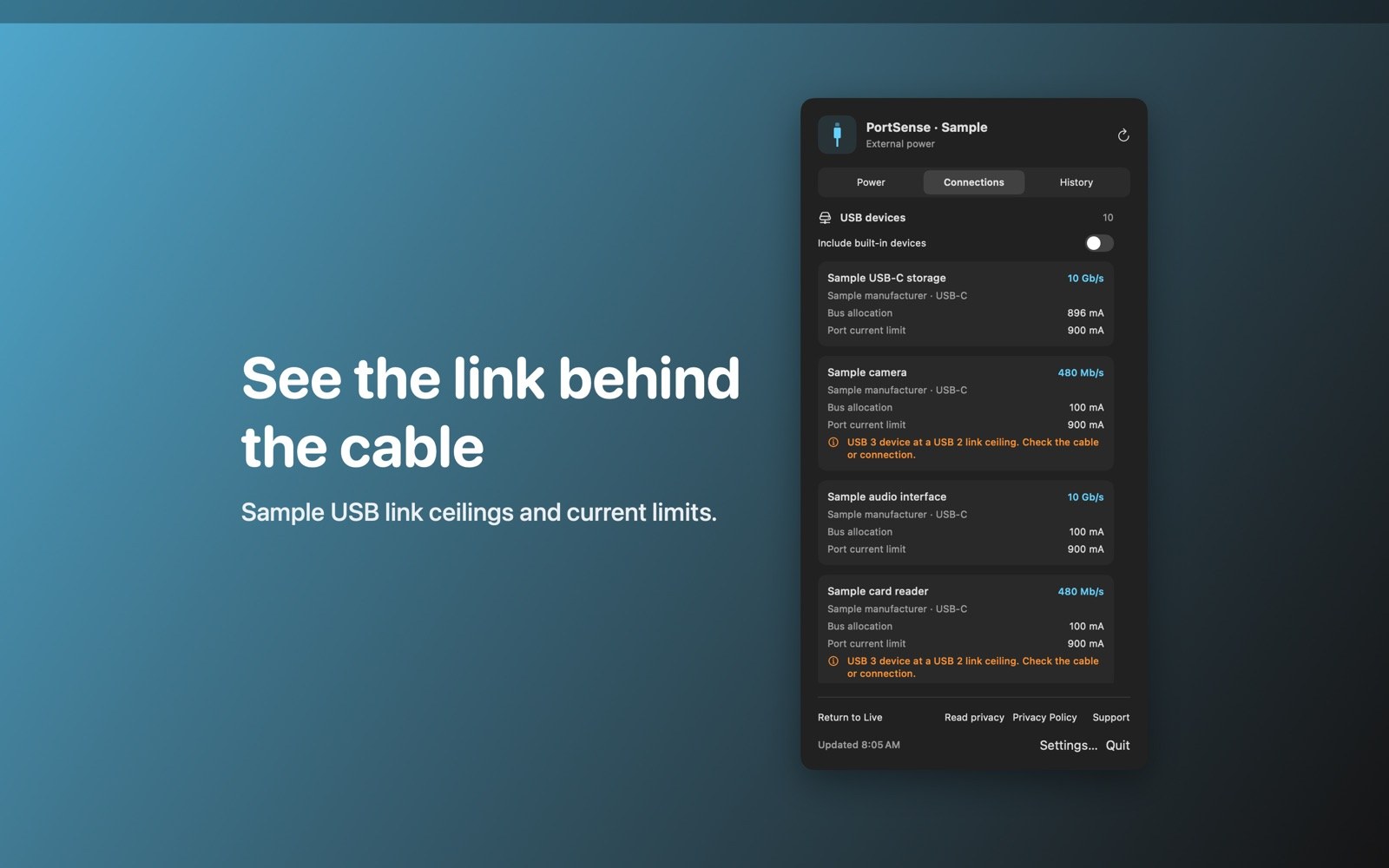
See reported charger wattage and adapter name, plus battery details such as cycle count and health condition. USB values describe link ceilings or current allocations, not measured throughput.
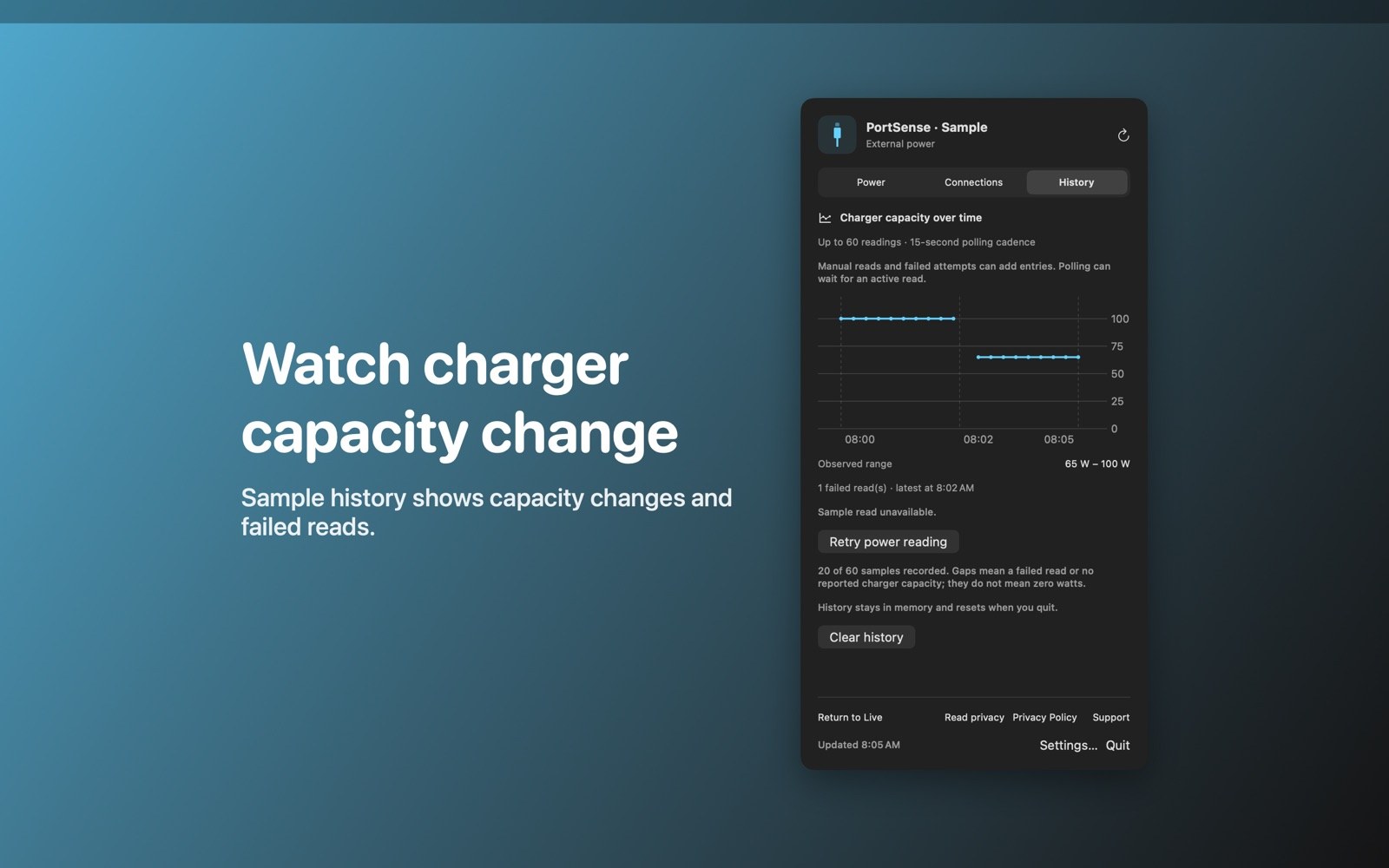
- Keep up to 60 charger readingsRecent charger history stays in memory and resets when you quit. A failed power read leaves a gap with a retry action.
Inside the app
Screenshots
Who it is for
For checking chargers and USB devices
For comparing a charger’s printed rating with the capacity your Mac reports.
Privacy and support
Hardware readings stay local, with no account or analytics.
Good to know
Reported capacity and missing readings
Does it measure power at the wall?
No. PortSense reports charger capacity, not electricity drawn from the wall. A cable, dock, or shared charger can limit available power.
Will every accessory show every field?
The system may not expose every field for your computer or accessory; missing fields appear as unavailable.
Purchase terms and refunds
Review the App Store purchase terms and refund information before you buy.